

To turn your Google Business Profile into a powerful engine for new leads and website traffic, you need to stop treating it like a static directory and start using it as a direct-response marketing tool.
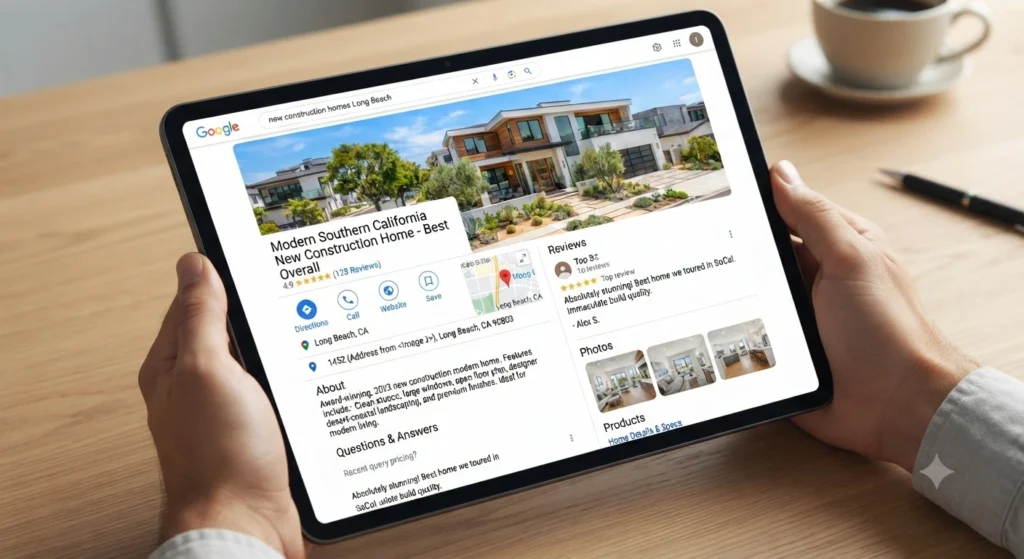
Here is how to structure your posts for maximum impact:
The “One-Click” Strategy
Every update you post should serve one clear purpose. Don’t try to cram five different goals into a single update.
To drive website traffic:
- The Hook: Start with a specific local benefit. Instead of “Check out my new guide,” try “Thinking about buying a home in Naples Island? Here are the 5 biggest mistakes buyers are making in this market right now.”
- The Button: Use the “Learn more” button.
- The Destination: Never send them to your homepage. Link directly to the specific page or landing page that solves the problem you raised in the hook.
To drive phone calls:
- The Hook: Focus on an urgent service or a quick question. “Looking for a real estate opinion on your property’s value in Belmont Shore? Let’s chat for 5 minutes.”
- The Button: Select “Call now.” This is the single most effective way to get your phone ringing because it eliminates the need for them to search for your contact info.
Proven Tactics to Boost Visibility
- The “No Phone Number” Rule: Never include your phone number in the actual text of your post. Google’s algorithms frequently flag and remove posts that contain phone numbers in the description. Rely entirely on the “Call now” button.
- Focus on Local Authority: Since you are active in Long Beach, use your posts to claim your space as a local expert. Mention specific neighborhoods or current market conditions. The more often you name-drop your target areas, the more likely you are to show up when people search for those specific terms.
- Quality Over Quantity: While consistency is great, one high-quality, helpful post a week is better than three generic, sales-heavy posts. Include a clear, professional photo—even a simple shot of you working or a high-end local property helps build immediate trust.
- Track Your Success: If you want to know what’s working, use a simple tracking link for your website traffic. This way, you can see in your own analytics whether people are actually clicking through from your profile or just browsing.
Why This Works
When a potential client finds you on Google, they are usually in “action mode.” By providing a button that takes them exactly where they need to go—either your deep-dive content or your phone line—you are drastically reducing the friction between them finding you and them becoming a client.
Step up a framework template
To capture the attention of buyers looking for that specific coastal lifestyle, your Google Business Profile posts should focus on the “Belmont Shore experience” rather than just a list of house specs.
Here is a template you can copy and adapt for your updates.
Google Business Profile Post Template
[Headline: Focus on a specific benefit or neighborhood lifestyle]
Example: “Living the dream in Belmont Shore: What’s new in the market this week?”
[Body: The “Hook, Story, Ask”]
- The Hook: Start with the lifestyle. “If you’ve been dreaming of morning walks to the beach and evening strolls along Second Street, now is the time to look closer at what’s available in Belmont Shore.”
- The Story: Keep it brief and visual. “This week, we’ve seen a few unique opportunities hit the market that capture that classic coastal vibe—from renovated bungalows with private outdoor spaces to homes just steps from the sand. Whether you’re looking for a low-maintenance retreat or a home ready for summer entertaining, there’s a current opening that fits.”
- The Ask: “I’ve curated a list of the most promising properties currently available in the area. Take a look and let me know which one catches your eye.”
[Call to Action Button]
- Select: “Learn more”
- Link: [Insert link to your specific Belmont Shore search page on
RedWagonTeam.com]
Keys to Making This Post Work
- Use High-Quality Local Imagery: Don’t just post a photo of a front door. Use a photo that captures the area—a shot of the beach, a local street, or a bright, airy living room that feels like a beach house.
- Focus on the “Why,” Not the “What”: Instead of saying “3 bedrooms, 2 baths,” say “Spacious enough for weekend guests, but designed for easy, low-maintenance coastal living.”
- Keep it Scannable: Use short sentences and bullet points if you have multiple quick updates. Buyers usually scan these on their phones while on the go.
- Update Regularly: Because the Belmont Shore market moves quickly, a post like this stays relevant for about a week. Refresh the link and the “hook” every seven days to keep your profile looking active and helpful.
Quick Pro-Tip for your GBP
If you have a specific, high-end property in Belmont Shore you are currently featuring, swap the general link for a link to a dedicated landing page for that property. This makes the “Learn more” button feel much more like a direct invitation to view that specific home rather than a generic search.