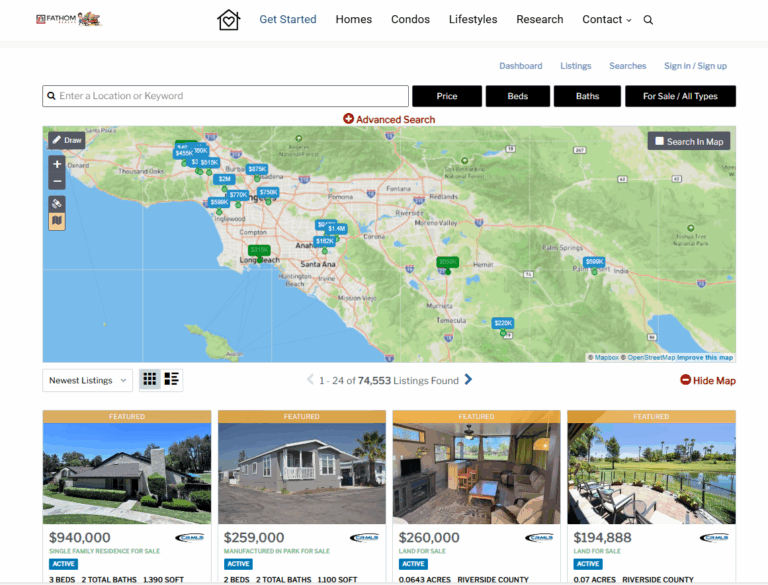

If you run a real estate website on WordPress, you need a way to show MLS listings to potential buyers and sellers.
An IDX plugin for WordPress lets you pull property listings from MLS platforms and display them directly on your website, giving visitors access to up-to-date real estate data without leaving your site.
This technology lets you offer the same search features that big listing portals have, but on your own website, where you control the experience.

Setting up IDX on your WordPress site might sound complicated at first. The right plugin makes it surprisingly simple.
You can choose from several solutions, from basic listing displays to advanced tools with lead capture and CRM features. The plugin you choose depends on your budget, technical comfort, and business needs.
This guide covers what you need to know about WordPress IDX plugins. You’ll see which features matter, how to pick the right solution, and some ways to customize your listings so you stand out.
Core Features and Benefits
WordPress IDX plugins turn basic real estate websites into powerful property search tools. They connect directly to MLS databases and help you generate leads automatically.
The right plugin gives you live listing data, mobile-friendly design, effective lead capture, and strong SEO that draws organic traffic to your site.
Real-Time MLS Integration
MLS integration sits at the heart of any IDX plugin worth its salt. This feature connects your WordPress site to your local MLS feed, pulling in live listing data so you don’t have to update things manually.
When you install an IDX plugin with proper MLS coverage, your website syncs with the MLS database on a set schedule. Most modern plugins update every 15 to 30 minutes, so listings that go under contract or change price show up almost right away.
MLS integration quality really varies. Some plugins cover over 1,500 MLS feeds across the US and Canada, while others stick to certain regions.
You’ll want to make sure your local MLS board is supported before you commit to anything.
Real-time syncing keeps your site credible and professional. Nobody wants buyers asking about homes that sold last week.
Mobile Responsiveness and User Experience
Over 60% of property searches happen on phones and tablets now. Your IDX plugin needs to work flawlessly on mobile—not just shrink down the desktop site.
Mobile-responsive plugins adjust search filters, property cards, and detail pages to fit smaller screens. Touch-friendly navigation, swipeable photo galleries, and tap-to-call buttons are now pretty much expected.
Speed matters a lot for mobile users. Plugins that use modern APIs and optimized images keep your real estate search fast, even on slower connections.
If your listing pages load slowly, visitors just leave. That’s bad for both your traffic and your search rankings.
The best mobile experiences include map search with pinch-to-zoom, easy filter tweaks, and saved searches that work across devices. When buyers can browse easily on their phone or computer, they stick around and send more inquiries.
Lead Capture and Generation Tools
Lead generation turns your IDX plugin from a simple directory into a real sales funnel. These features grab visitor info and help nurture prospects until they’re ready to take action.
Registration prompts pop up after visitors view a few listings or try to use premium features like saved searches. You can make these required or optional, depending on your strategy.
Forced registration gets you more leads but might drop your overall traffic. Optional prompts tend to keep users happier.
Saved searches let buyers set up their own criteria and receive email or text alerts when matching homes hit the market. This keeps your name in front of prospects without much effort.
Most plugins add contact forms on each listing, so buyers can request showings or ask questions easily. The best solutions integrate with popular CRMs like Follow Up Boss or Lion Desk, sending leads straight to the right agent.
SEO Advantages for Property Listings
SEO-friendly IDX plugins help your site get discovered by creating indexable property pages on your own domain. That builds your site’s authority and helps you rank for local real estate searches.
Server-side prerendering is a key technical feature for SEO. It makes sure Google sees every listing as real content on your site, not just JavaScript that might get missed. Plugins like Showcase IDX use this to boost your search visibility.
Each property listing becomes its own page, with a clean, keyword-rich URL. Instead of something generic, you get URLs like “your-domain.com/homes-for-sale/123-main-street-chicago” that naturally include valuable search terms.
Try to avoid plugins that use iFrames or load content from external subdomains. That sends your SEO value to someone else’s site, not yours.
Schema markup helps search engines understand your property data, which can earn you rich snippets in search results. With live MLS data updating regularly, your site becomes a steady source of fresh content and organic IDX traffic.
Choosing the Right IDX Plugin
Your choice really comes down to MLS requirements, budget, technical comfort, and your long-term website plans. Pricing structures and setup mistakes can trip you up if you’re not careful.
MLS Coverage and Compatibility
Not every IDX plugin works with every MLS. Before you pay for anything, double-check that your MLS board is actually supported.
Showcase IDX and IDX Broker offer the broadest MLS coverage in North America. They connect to hundreds of boards across the US and Canada.
FlexMLS partners with specific regions, so you’ll need to make sure your area’s on their list. Plugins like iHomeFinder and Optima Express require separate MLS approval before you can use them, which can take a few days to a week.
RETS and RESO API are the two main data formats for MLS feeds. Most plugins support both, but some older ones only work with RETS.
If your MLS just switched to RESO API, check compatibility before you buy. Regional plugins like Wovax IDX focus on certain states or provinces. They offer better local support, but won’t work if you expand into new markets.
Pricing Models and Free Trials
IDX plugins use three main pricing models: monthly subscriptions, one-time purchases, or tiered plans based on agent count. Monthly plans usually run from $40 to $100 per month.
IDX Broker charges around $55 monthly, while Showcase IDX is closer to $75. These prices typically include hosting, updates, and basic support.
Some plugins, like Estatik ($89 for the pro version) or Buying Buddy, are one-time purchases. They seem cheaper at first, but you’ll need good hosting and might pay extra for MLS feeds or updates.
Setup fees vary. Some providers charge $100-300 for initial MLS integration, while others waive this fee during promos. Most reputable providers offer trial periods. A free 10-day trial of Showcase IDX lets you try features first. IDX Broker offers similar trials.
If you go self-hosted, factor in hosting costs. Budget at least $30-50 per month for WordPress hosting that can handle big MLS imports without bogging down your site.
Ease of Setup and Support
Setup difficulty varies a lot between plugins. Cloud-based solutions like Showcase IDX usually go live within 24-48 hours after MLS approval. You just install the plugin, enter your API key, and you’re pretty much set.
Database-import plugins take more technical work. Solutions that store data locally need server configuration and regular syncing. This gives you more control, but also more to manage.
Before you buy, see what support channels are available. Phone support, live chat, and email tickets all matter when your listings stop updating or searches break. Premium providers usually respond faster.
The management dashboard should let you adjust search layouts, map styles, and lead forms without touching code. Test the interface during your trial to see if it feels right for your skill level.
Good documentation makes troubleshooting much easier. Look for video tutorials, setup guides, and active user forums. These come in handy when you need answers outside business hours.
Common Mistakes to Avoid
Lots of users pick plugins based on price alone and end up regretting it. A cheap plugin that doesn’t support your MLS or isn’t mobile-friendly will cost you more to fix later.
Skipping the MLS approval process causes delays. Send in your application as soon as you pick a plugin. Some boards take weeks to process requests.
Don’t ignore hosting requirements. Database-heavy plugins need enough memory and processing power. Shared hosting often can’t handle big MLS feeds well.
Test your lead capture forms. Set up test submissions to make sure inquiries reach your inbox and integrate with your CRM.
Review your MLS agreement. Some boards limit how you display data, cap listings per page, or require specific disclaimers. Messing this up can get your feed suspended.
Forgetting about mobile users hurts your traffic. Over 70% of home searches happen on phones and tablets. Your IDX solution has to work on all screen sizes.
Top IDX Plugins and Solutions
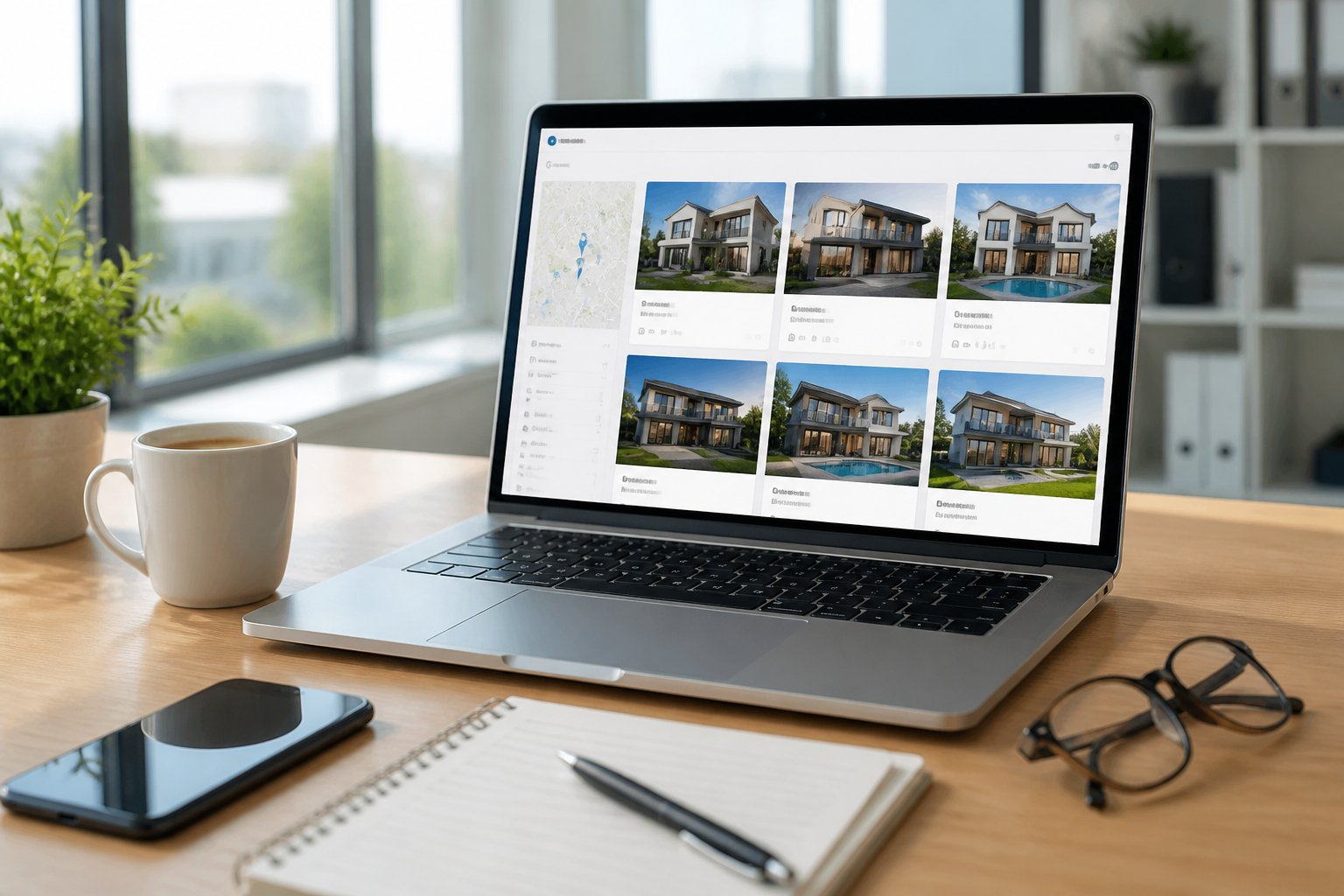
Several WordPress IDX plugins really stand out for their features and reliability. Showcase IDX leads with strong lead conversion tools. IMPress handles IDX Broker integration, and options like Estatik and Flexmls serve different budgets and needs.
Showcase IDX
Showcase IDX is a premium WordPress plugin focused on lead generation and modern design. It displays MLS listings right on your WordPress site with clean, mobile-friendly layouts that keep visitors engaged.
The plugin costs $85 per month and up. You get map-based search, saved searches for visitors, and lead capture forms that connect to your CRM.
You have full control over listing display pages—no need to rely on external vendor domains.
Key Features:
- Advanced property search with filters
- Lead registration and tracking
- Mobile-optimized listing pages
- Direct WordPress integration
- Custom listing detail templates
This plugin works well for agents who want their listings to match their site’s branding. Showcase IDX keeps potential clients on your domain instead of sending them somewhere else.
Estatik and Estatik Simple
Estatik is a free WordPress real estate plugin that skips MLS integration. You add properties manually or import them with CSV files.
It’s a good fit for smaller agencies or solo agents who want to manage their own listings and don’t need full IDX feeds.
Estatik Features:
- Free base plugin
- Manual property entry
- Custom fields for listings
- Basic search functionality
- Front-end property submission
Estatik Simple takes things down a notch with even fewer features. Both versions work for agents who handle their own listings or operate in areas without strong MLS systems.
You won’t get automatic MLS updates, but you skip monthly IDX fees.
Flexmls IDX and Alternatives
Flexmls IDX plugin connects directly to the Flexmls platform, which some MLS systems use. If your MLS supports Flexmls, you get the plugin for free—pretty cost-effective for agents in those markets.
The plugin covers property search, listing displays, and market reports.
Other options include Rover IDX, Wovax, and VistaWP. Rover IDX stands out with competitive pricing and solid lead capture features.
Wovax supports international MLS feeds, so it’s handy if you’re working outside the US.
SimplyRETS and Easy Property Listings cater to developers who want API access for custom projects. SimplyRETS charges per API call and works best for those comfortable with tech.
Easy Property Listings is similar to Estatik and lets you add listings manually.
MLS Import plugins let you pull listings without ongoing subscriptions, though they might not check every MLS compliance box. Your decision comes down to budget, tech skills, and whether you want automated MLS feeds or prefer manual control.
Customization and Integration Options

WordPress IDX plugins come with plenty of customization features, making it easier to match your site’s design and connect with your business tools. Most plugins play nicely with standard WordPress themes and offer widgets, shortcodes, and CRM options for capturing and managing leads.
WordPress Theme Compatibility
Most real estate WordPress plugins work with standard themes and don’t need custom code. The IDX system adapts to your theme’s fonts, colors, and button styles, so listings blend in with your site.
Some themes are made specifically for certain IDX solutions and include pre-built templates for property searches and listing details.
If you’re using a custom theme, most IDX providers give you CSS options to tweak the look manually. The plugin fits right into your WordPress dashboard.
You can manage settings, check leads, and update listings without leaving your admin area.
Widgets, Shortcodes, and Map-Based Search
Widgets and shortcodes make it easy to add property search tools anywhere on your site. Drop a shortcode into a page to show listings for a certain neighborhood or price range.
Widgets let you put featured properties or search boxes in your sidebar or footer.
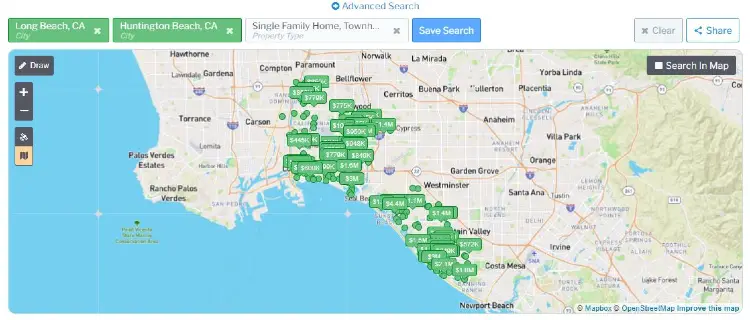
Map-based search lets visitors look for homes by location on an interactive map. Polygon tools go further, letting users draw custom shapes to define their search area.
This comes in handy for buyers who want to search within certain school zones or custom boundaries.
Hot sheets show the newest listings or recent price drops. A slideshow widget can highlight featured properties on your homepage, cycling through images and details to grab attention.
CRM Tools and Lead Management
Many WordPress IDX plugins include built-in CRM systems for tracking and managing leads from your site. When visitors register, save favorites, or request showings, their info goes straight into your CRM.
Lead capture tools include registration forms, inquiry buttons, and saved search features. If someone saves a search, the system can send them automated emails when new listings match their criteria.
Lead routing lets you assign leads to specific agents based on location or property type. Some plugins offer CRM integration with tools like LionDesk and Follow Up Boss, syncing lead data so you’re not stuck entering things twice.
Integrated CRMs track what properties each contact views and how often they visit. That way, you can follow up with just the right message at the right time.
Third-Party Integrations and Automation
WordPress IDX plugins often connect with third-party tools via Zapier. This lets you link your site to thousands of apps without coding.
You can automatically add new leads to your email platform, send Slack notifications, or create tasks in your project management tools.
Drip emails are automated sequences that nurture leads over time. Most IDX plugins with built-in CRMs include drip campaigns, or they connect with email tools like Mailchimp or Constant Contact.
These automated messages keep you in touch with prospects without extra effort. Some providers offer API access for advanced integrations, so developers can build custom connections between your IDX and other business tools.
Advanced IDX Capabilities
Modern WordPress IDX plugins offer more than just basic property listings. How you set up MLS feeds, indexing, and integrations can seriously affect your site’s performance and how many leads you get.
Multi-MLS and Regional Feeds
Most real estate pros need access to multiple MLS feeds. Advanced IDX plugins let you pull data from several MLSs at once through a single dashboard.
This is huge if you work across county lines or in areas with overlapping MLS coverage. The plugin should merge listings from different sources and avoid duplicates.
Key features to look for:
- Support for 10+ MLS feeds in your area
- Automatic de-duplication of shared listings
- Regional filtering by zip code or city
- Custom feed scheduling to lighten server load
Some platforms charge more for each MLS connection. Others include unlimited MLS coverage in their base price.
Always check if your MLS is actually supported before you commit.
Listing Management and Indexability
The way your plugin stores data impacts both speed and SEO. Native database solutions save property info directly in WordPress as custom post types, creating separate property pages that search engines can crawl and index.
Cloud-based systems keep data off-site and show it through embedded interfaces. These need special rendering to get indexed properly.
Organic indexing gives you thousands of crawlable URLs, like /properties/123-main-street. That’s great for SEO, but it does make your database bigger.
Server-side rendering creates HTML that search engines can read, while still giving visitors a fast, interactive experience. This hybrid approach balances speed and visibility.
If you’re importing full MLS data, you’ll need strong hosting—think 50GB+ storage and enough processing power for regular updates.
User Registration and Search Experience
Advanced IDX searches let you decide when to capture visitor info. A soft gate lets users see basic property data before asking for registration, while hard gates require an email address to see any details.
Your plugin should offer behavior-based triggers, like asking for registration after someone views several photos or saves favorites.
Common trigger points:
- After viewing 3-5 property photos
- When saving searches
- Before accessing the sold price history
- To view contact info
CRM integration makes sure leads flow straight into your follow-up system. Go for native connections to your existing platforms if you can, rather than relying on generic webhooks.
Subdomain IDX vs Onsite Integration
Subdomain IDX hosts your property search on a separate domain, like search.yoursite.com. The IDX provider handles the tech, and you customize branding through templates.
This method covers wide MLS areas and keeps your server load low. Onsite integration puts the IDX right inside your WordPress site, so property pages live at yoursite.com/listings.
You own the data and can customize everything through your theme files.
Subdomain advantages: Lower hosting needs, broader MLS support, quick setup.
On-site advantages: Better SEO, full design control, direct database access.
Your choice comes down to your tech resources and SEO goals. Subdomain setups work for agents who want simplicity. Onsite integration is better if you’re building a custom real estate platform and want more control.
Optimizing for Success
Getting your IDX plugin installed is just the starting line. Real results come from boosting search visibility, staying compliant, and using your data to make smarter decisions.
Driving Organic Traffic
Search engines need to find and understand your listings. Pick an IDX plugin that creates real web pages—not iframes.
Iframes hide content from search engines, so your listings won’t show up in results.
Key SEO elements to configure:
- Custom meta titles and descriptions for each listing
- Clean URLs with property details
- Fast load speeds (use caching!)
- Responsive, mobile-friendly design
- Internal links between listings
Indexability is everything. Some IDX plugins create duplicate content by showing the same property multiple times. Set up canonical tags to avoid this.
Your hosting affects SEO too—slow servers drag down rankings. Test your listings in Google Search Console to make sure they’re being indexed.
Look for ways to rank your property pages higher by tweaking descriptions and photos.
Ensuring Compliance and Updates
Your local MLS has strict rules for displaying listings. Breaking them can cost you your MLS access, so check approval requirements before launching any IDX plugin.
Common compliance requirements:
- Correct listing attribution and agent info
- Accurate status updates for sold or pending properties
- Limits on data refresh frequency
- Required disclaimers and copyright notices
Keep your plugin updated to stay secure and compatible with WordPress updates. Outdated plugins can create security holes or stop working after WordPress changes.
If possible, set up automatic updates or check for new releases every month. Most top IDX providers offer a trial period, so use that time to check MLS compliance and test everything.
Effective Use of Analytics
Your dashboard shows which listings get the most attention and which features visitors use most. Connect your IDX plugin to Google Analytics to spot user trends.
This data tells you what property types and price ranges your audience likes. Keep an eye on these metrics every week:
- Most viewed property types and locations
- Top search terms
- Lead form completion rates
- Time spent on listings
- Mobile vs. desktop traffic
CRM integration lets you track leads from first visit to closing. Tag each lead source so you know which listings drive the most inquiries.
Adjust your marketing based on what you learn—promote similar properties or target the right buyer groups. Set up goal tracking for actions like saved searches, favorites, and form submissions.
These conversion points show how well your IDX plugin turns browsers into real leads.
Frequently Asked Questions
Real estate agents should know how different IDX providers handle MLS data, what technical requirements affect site performance, and which features really help convert visitors into leads.
Which real estate listing integrations work best with WordPress sites?
IDX Broker, Showcase IDX, and iHomefinder are the three most popular WordPress integrations. Each one handles MLS data a bit differently and offers its own customization options.
IDX Broker works with over 600 MLSs across the United States. It comes with dedicated WordPress plugins and usually plays nicely with most themes.
The platform typically costs between $59.99 and $129.99 per month, plus a one-time setup fee. That’s not exactly cheap, but it’s pretty standard for the industry.
Showcase IDX specializes in modern search interfaces with strong mobile optimization. You can integrate it into your WordPress site using a plugin that pulls data from your MLS through their system.
The platform includes built-in lead capture forms and automated follow-up tools. It’s designed to keep things simple for both agents and visitors.
iHomefinder offers both plugin-based and hosted solutions for WordPress. Their Quick Search widget loads faster than full-page search tools because it uses AJAX technology.
They serve over 500 MLSs and provide customizable search forms that match your site design. If you care about speed and flexibility, it’s definitely worth a look.
How do I choose between Showcase IDX, IDX Broker, iHomefinder, and Flexmls for my website?
Your MLS coverage determines which providers you can actually use. Always check if each platform serves your specific MLS before diving into other features.
IDX Broker covers the most MLSs and offers the widest range of third-party integrations. You can connect it to popular CRMs like Follow Up Boss, kvCORE, and LionDesk.
The setup process requires you to configure pages and widgets through their dashboard. It’s not overly complicated, but you’ll want to set aside some time.
Showcase IDX focuses on design quality and user experience. Their search pages look more modern than basic IDX solutions, but you’ll pay a bit more for that polish.
Monthly fees typically start around $69.99 for basic packages. It’s not the cheapest, but some folks find the design worth it.
iHomefinder gives you more control over where listings appear on your site. You can embed specific property types on neighborhood pages or create custom search pages for different buyer segments.
Their Gallery Slider widget works well on homepage hero sections. It’s a nice touch if you want your site to feel a bit more dynamic.
Flexmls works best if you already use FBS or Flexmls as your MLS system. The integration connects more directly to your MLS data, which can mean faster updates.
However, it serves fewer markets than the other three options. You’ll need to check if it’s even available in your area.
What features should I compare when evaluating listing search, map views, and lead capture tools?
Search functionality can differ a lot between providers. Some platforms offer just basic field searches, while others include polygon map drawing, commute time search, and school district filters.
Map views should load quickly and feel smooth on mobile devices. The best systems let visitors draw custom search boundaries and save their search areas.
Check if the map updates listings in real-time as users pan and zoom. That little detail makes a big difference for user experience.
Lead capture forms need to balance conversion rates with data collection. If you ask for too much info upfront, people just bounce.
The most effective approach asks for just a name and email at first, then requests phone numbers through follow-up automation. It feels less pushy that way.
Registration walls force visitors to create accounts before viewing full listing details. This captures more leads but can frustrate users who just want to browse.
Most agents see better results with soft registration that triggers after viewing three to five listings. It gives people a chance to look around before committing.
Saved search alerts keep your leads engaged after they leave your site. The system should automatically email listings that match their criteria.
Advanced platforms let you customize email templates and set different alert frequencies. That way, you can match your follow-up style to your audience.
How does the MLS approval process work when adding property search to a real estate website?
Your local MLS has to approve your IDX display before listings go live. Each MLS sets its own rules about how you show data, which fields are required, and what disclaimers you need.
The IDX provider usually handles most compliance requirements automatically. They know the rules for each MLS and configure their system accordingly.
You still need to submit your website URL and broker information for approval. It’s a bit of a formality, but you can’t skip it.
Approval usually takes between three and ten business days. Some MLSs review sites manually, while others use automated systems.
You might need to make changes if your site doesn’t meet specific display requirements. It’s not the end of the world, just a bit of back and forth.
Your broker license must be active and in good standing with the MLS. Some MLSs require separate IDX agreements or extra fees beyond your regular membership.
Check with your MLS before signing up for an IDX service. It’s better to know the rules up front.
What is the difference between using an API integration and an IDX feed for property listings?
IDX feeds follow strict MLS rules about data display and usage. They only show listings from your MLS and require specific attribution and disclaimers.
You can’t modify listing data or combine it with non-MLS sources. It’s pretty locked down for compliance reasons.
API integrations provide more flexibility, but you’ll need some development skills. You have to build custom search interfaces and handle data updates yourself.
Most API options cost significantly more than standard IDX solutions. It’s a trade-off between control and convenience, really.
IDX feeds update automatically through the provider’s system. New listings appear within 15 minutes to an hour, depending on your MLS and provider.
You don’t need to manage data synchronization or storage. That’s a relief if you’re not a techie.
API access lets you create unique features that standard IDX can’t support. You can build custom matching algorithms, unique search filters, or integrated buyer dashboards.
However, you remain responsible for MLS compliance and data accuracy. It’s a lot to juggle if you’re running a busy real estate business.
Direct MLS APIs require separate approval processes beyond standard IDX agreements. Some MLSs don’t offer API access to individual agents, only to brokers or approved vendors.
The technical and legal complexity makes this approach impractical for most real estate websites. If you’re not a developer or don’t have one on staff, it’s probably not worth the hassle.
How can I improve page speed and SEO when displaying live property listings on my site?
IDX pages usually load slower than static content. They have to pull data from external servers, so the search results and listing details come from the IDX provider’s database instead of your WordPress hosting.
Try a caching plugin that works with dynamic content. Standard WordPress caching tends to break IDX functionality by serving outdated listings.
WP Rocket and W3 Total Cache both let you exclude IDX pages from caching. That way, you can speed up the rest of your site without messing up live listings.
Pick an IDX provider with fast servers and CDN delivery. The provider’s infrastructure honestly matters more than your hosting when it comes to IDX page performance.
Test page speed on the provider’s demo sites before you sign up. You might be surprised at the differences.
Search engines can index IDX pages, but duplicate content can cause headaches. Thousands of agents show the same MLS listings, which waters down SEO value.
It’s usually smarter to focus on ranking your neighborhood pages and guides instead of individual listings. That gives you a better shot at standing out.
Add unique content to your listing pages with custom descriptions or local market insights. Some IDX systems let you tack on extra text or create custom intro sections.
This makes your pages a bit different from all the other sites showing the same properties. It’s not perfect, but it helps.
Create XML sitemaps just for your IDX pages. Submit these through Google Search Console so search engines can find your listings faster.
Update the sitemap regularly as new properties show up and sold homes disappear. It keeps things fresh and helps with visibility.