

Zillow gets a ton of clicks, but it doesn’t have to steal all your leads. You can outrank Zillow by targeting local searches it skips, building a quick website with real IDX tools, and writing content only you could write.
I’ve seen agents do this with a clear plan and a bit of patience, not a giant budget.

In this post, I’ll show you exactly how I help real estate sites compete with the big portals. I’ll cover picking the right searches, setting up Showcase IDX so buyers can actually find homes, and writing local content Zillow can’t copy.
I’ll also touch on the technical stuff that keeps your site fast and Google-friendly.
Key Takeaways
- Pick local searches the big portals skip instead of fighting for broad terms.
- Set up your website and IDX search so buyers find homes and reach you directly.
- Write local content and fix technical SEO to build trust with Google and AI tools.
Choose the Searches Zillow Does Not Serve Well

I don’t try to beat Zillow, Redfin, or Realtor.com at their own game. I look for the searches they ignore or mess up, and that’s where my SEO plan actually works.
Target Neighborhood, Landmark, and Long-Tail Keywords
Big real estate portals write generic city-wide content. I go hyperlocal instead.
I build neighborhood guides for the areas I actually work in. These aren’t just “homes for sale” pages—I talk about school districts, commute times, and what makes each block stand out.
I also target landmark searches like “condos near [specific park]” or “homes walking distance to [popular school].” Zillow just can’t compete with this kind of local knowledge.
Here’s what I include in every guide:
- Commute times to job centers
- Nearby parks, shops, and restaurants
- School boundaries and ratings
- Recent sale trends for that street or block
Build Pages Around Property Types and Buyer Needs
I don’t just make one “homes for sale in [city]” page. That’s too broad, and honestly, I’ll never outrank Zillow for it.
Instead, I build separate pages for each property type I sell—single-family homes, condos, townhomes, new builds. Every page targets a different buyer with different needs.
I also make pages based on what buyers actually want, not just property type. Someone searching “starter homes under $300k” needs different info than someone after “luxury waterfront homes.”
This hyperlocal approach helps me show up in search results that Zillow and Trulia just don’t bother with.
Use Keyword Research to Find Winnable Local Opportunities
I don’t guess what to write about. I do my keyword research first to find searches I can actually win.
I look for long-tail keywords with decent volume but low competition. Usually, these are so specific the big portals don’t bother optimizing for them.
Things like “3 bedroom homes near [specific school]” or “[neighborhood name] real estate agent” tend to work really well.
I always check the SERPs before I commit. If Zillow, Redfin, or Realtor.com already own page one, I move on. My strategy is all about finding gaps, not fighting unwinnable battles.
Build a Website Buyers Want to Use
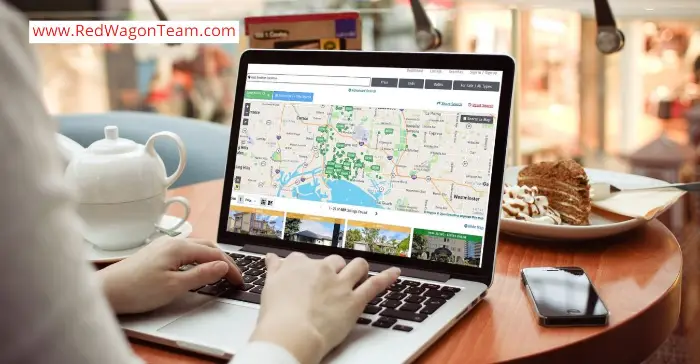
I want my site to feel like a tool people actually enjoy, not just another lead form. That means quick IDX search, smart map tools, and turning browsers into real leads.
Add Fast, Mobile-Friendly IDX Search
I make sure my IDX search loads fast and works on phones. Most buyers start their search on a phone, so if my site is slow, they’re gone.
My IDX setup pulls live MLS listings straight from the feed, so buyers see the same homes they’d find on Zillow—but on my site.
I keep listing pages clean. Photos load fast, details are easy to scan, and buyers can filter by price, beds, and location without getting lost.
A good property search tool keeps people on my site instead of bouncing back to a portal.
Create Useful Map-Based Searches and Saved Searches
I use map search because buyers like to see homes visually, not just in a list. A map search lets them draw a shape around a neighborhood or school zone and see only homes in that area.
It just feels more personal than typing in a zip code.
I also let buyers save their searches and get alerts when new listings match what they want. This keeps them coming back to my site instead of checking Zillow every morning.
Here’s what a good saved search feature should do:
- Send alerts for new matching listings
- Let buyers adjust their criteria anytime
- Show updated MLS data in real time
- Work smoothly on both mobile and desktop
Turn Search Activity Into Exclusive Leads
I treat every search on my site as a clue. When someone searches for homes, saves a listing, or sets up an alert, I get a peek at what they want.
This helps me with lead capture because I know what kind of home they want before we even talk.
Good lead routing tools help me follow up fast, which is huge—slow replies lose clients. I also focus on lead conversion by sending personalized messages based on their search habits, not just generic emails.
That kind of engagement builds trust. Buyers feel like I’m actually paying attention—not just collecting emails.
The result? A real estate website that gives buyers a smooth experience and gives me leads I actually own, instead of renting them from a portal.
Use Showcase IDX to Create Searchable, High-Converting Pages

The right IDX setup does more than just show listings. It keeps buyers on my site, captures their info, and turns browsers into leads.
Connect MLS Listings Without Sending Visitors Away
I used to lose visitors as soon as they clicked a listing. Some IDX plugins send users to a third-party page, and that traffic is just gone.
Showcase IDX pulls MLS listings right into my WordPress site. Visitors stay on my domain, so my branding stays front and center.
This matters for lead generation. When people stick around, I can actually capture their info before they leave.
I also like that Showcase IDX has map-based search. Buyers can drag the map, zoom in, and see listings pop up instantly. It just feels modern.
Create Niche Hotsheets for Local Property Searches
Hotsheets let me build custom searches for specific towns, price ranges, or property types. I set them up once, and they update themselves as new MLS listings come in.
This is where I get creative. I’ve built hotsheets for things like:
- Waterfront homes under $500,000
- New builds in a certain zip code
- Condos with HOA fees under $300/month
Each hotsheet becomes its own page. That means more chances to show up in search results, and more entry points for buyers to land on my site instead of Zillow.
I go into more detail on using hotsheets for lead generation on my own site, since this approach has worked well for me.
Compare IDX Features Before You Commit
Before I picked Showcase IDX, I checked out other options like IDX Broker, iHomeFinder, and Diverse Solutions. Each one handles lead capture a little differently.
Here’s what I compared:
| Feature | Why It Matters |
|---|---|
| Lead routing | Sends new leads to the right agent automatically |
| Map-based search | Keeps buyers engaged longer on the site |
| WordPress integration | Easier setup, fewer plugin headaches |
| Consumer engagement tools | Saved searches, favorites, and alerts |
I recommend testing before you buy. Most IDX plugins have some kind of trial, and Showcase IDX gives you a 10-day free trial so you can see how it works on your own site.
If you want a deeper breakdown of what Showcase IDX actually does, it’s worth reading before you decide.
Publish Local Content That Portals Cannot Copy

Zillow can list every house on my street, but it can’t tell you which one had a raccoon problem last spring. That’s the gap I fill with content only a real local agent can write.
Write First-Hand Neighborhood Pages and Market Guides
I skip the generic “about this city” filler and write neighborhood pages based on what I’ve actually seen. I mention which streets flood when it rains, which park has the best playground, and which coffee shop always has a line on Saturdays.
My guides include real numbers: average days on market, recent price trends, and school ratings from current data. I also break down closing costs for my area, since those vary by county and buyers always ask.
This is where I started blogging every listing I take, and it’s worked for local rankings. You can copy my step by step guide if you want a system for turning listings into content fast. The goal is depth—Zillow’s automated pages just can’t match that.
Make Listing Pages Unique Beyond the MLS Feed
If I just copy the MLS description onto my site, I’m giving Google the same old content it’s seen everywhere else. So I rewrite every listing in my own words and add those little details the feed skips.
I’ll mention how the kitchen gets morning light, if the street’s quiet, or why the backyard works for dogs. I toss in info about upcoming open houses, nearby spots I like, and how this home stacks up against others I’ve sold nearby.
A few things I always try to include:
- My own photos or a video walkthrough, not just the standard MLS shots
- A quick note on why I picked this listing to feature
- Local context, like walkability or any new development plans in the area
Demonstrate Experience, Expertise, and Trust
Google cares a ton about E-E-A-T for real estate, since buying a home is a massive decision. I make sure my name, license number, and NAR membership show up on every page I write.
I post client testimonials with real names and details about their deals—no vague five-star fluff. When I write a market guide, I sign it and share how many years I’ve worked in that area.
That kind of transparency builds trust with readers and Google. It’s basic real estate marketing, but it’s something portals can’t fake since they don’t have a real person’s reputation behind the page.
Get the Technical SEO Foundation Right
Before I even think about content or backlinks, I check that my site’s technical foundation is solid. Speed, structure, and schema markup all affect how well Google crawls my site and how high I can rank against Zillow.
Improve Page Speed, Images, and Mobile Usability
Page speed is the first thing I look at when I want to compete with bigger platforms. I run my listings pages through Google PageSpeed Insights, find what’s slow, and fix those issues one at a time.
Images are usually the main problem on real estate sites. I convert my listing photos to WebP format, which keeps them sharp but makes the files much smaller. I also turn on lazy loading so images below the fold wait to load until someone scrolls down.
Every image gets alt text. That helps Google figure out what’s in the photo and makes my site more accessible.
Most buyers search on their phones now, so I test every page for mobile-friendliness. If a page doesn’t work well on a small screen, I don’t publish it yet.
Use Clear URLs, Site Structure, and Internal Links
My URLs stay short and actually describe what’s on the page—like /austin-tx/downtown-condos instead of a string of numbers. That helps both people and search engines know what to expect before clicking.
I keep my site structure simple. Buyers should be able to go from the homepage to a city page to a neighborhood page in just a few clicks.
Internal linking ties everything together. I link blog posts to relevant listings and connect neighborhood guides to nearby property pages. This spreads authority across my site and keeps people browsing longer instead of bouncing back to Zillow.
I write unique meta descriptions for every page. Generic ones just don’t help me stand out in search results.
Add Schema Markup for Agents, Listings, and Locations
Schema markup (structured data) tells Google exactly what kind of info is on each page. I use RealEstateAgent schema on my profile pages so search engines can pull my name, photo, and reviews right into search results.
For listings, I add schema that includes price, square footage, and property type. This helps my pages show up with rich details in search results, not just a plain blue link.
I make sure my NAP info—name, address, phone—stays consistent on every page and matches my Google Business Profile exactly. Any mismatch can confuse Google and hurt my local rankings.
To manage all this without messing with code, I use Rank Math because it handles schema markup for WordPress sites pretty easily.
I check Google Search Console regularly to spot indexing errors and confirm my structured data works the way it should. I also make sure my whole site runs on HTTPS, since that’s a basic trust signal Google expects now.
Build Local Authority Beyond Your Website
Ranking above Zillow isn’t just about my own site. Google also looks at how visible and trusted I am across the web, from my Google Business Profile to the links pointing back to my domain.
Optimize Your Google Business Profile and Local Citations
My Google Business Profile is usually the first thing people see before they even click my website. I make sure my name, address, and phone number match exactly everywhere—Yelp, Bing Places, real estate directories like Realtor.com.
This citation consistency is a core part of local SEO. If my info doesn’t match everywhere, Google gets confused about which business is real.
I add new photos, update my hours, and write a clear description with my city name in it. I post updates about new listings or open houses at least once a week to keep my profile active, which helps me show up in the map pack for searches like “[city] real estate agent.”
Earn Relevant Links, Reviews, and Local Mentions
Backlinks still matter a lot for beating big portals like Zillow. I use tools like Ahrefs or Semrush to check my backlink profile and see where my competitors get their links.
I focus on quality over quantity. One link from the local newspaper or Chamber of Commerce does more for my domain authority than 50 random directory links.
I reach out for digital PR opportunities, like being quoted in a local news story about the housing market. Reviews matter just as much. I ask every happy client to leave a Google review and reply to each one by name.
I share client wins and market updates on Facebook, too. Social mentions add another layer of trust signals for my brand.
Measure Rankings, Traffic, and Lead Quality
I can’t improve what I don’t track. I use Google Search Console to see which keywords bring people to my site and check for technical errors that might hurt my SEO.
I watch my rankings for local terms, not just broad ones like “[city] homes for sale.” Here’s what I track every month:
- Keyword rankings for neighborhood and city terms
- Organic traffic growth from Search Console
- Lead quality—how many inquiries turn into real conversations
- Google Ads performance if I’m running paid campaigns too
This tells me what’s actually driving lead generation, not just clicks. Real numbers show me where to focus next.
Prepare Your Content for Google AI and AI Assistants
Ranking above Zillow isn’t just about SEO anymore. I need my site to show up in AI Overviews, ChatGPT, and Gemini answers, which means writing content that’s easy for AI to read, trust, and quote.
Make Local Answers Easy to Cite and Verify
When I write about a neighborhood, I include specifics: median home price, school ratings, walk scores, and recent sale data. AI tools seem to prefer content with clear numbers over vague claims.
I add my name, license number, and years of local experience on every page. This builds trustworthiness and shows real local expertise, not just some generic real estate advice copied from somewhere else.
Every claim I make can be checked against a source. If I say “prices rose 8% this year,” I link to the data. That’s what separates content AI assistants trust from content they skip.
Use Helpful Formats That Support AI Search Discovery
I format my content so Google and AI assistants can pull it apart easily. That means:
- Short paragraphs (1-3 sentences)
- Bullet points for stats and features
- Tables comparing neighborhoods or price ranges
- Clear H2 and H3 headings that match how people actually search
I use structured data, like schema markup for listings, reviews, and FAQs. This helps search engines and AI systems understand exactly what my page is about.
I write answers to specific questions right at the top of each section. AI tools tend to grab the first clear, direct answer they find, so I make sure mine is accurate and easy to pull.
Keep Market Information Accurate and Current
I update my listings, price data, and market trends every month. Stale numbers hurt my credibility and can get skipped by AI tools that want fresh, accurate content.
I double-check every stat before I publish it. If a number changes, like average days on market or interest rates, I go back and fix old posts too.
I add a “last updated” date on my key pages. This signals trustworthiness and shows both readers and search engines that I’m actively maintaining accurate, current info—not just letting old content sit there.
Frequently Asked Questions

I get a lot of questions about beating Zillow, using IDX, and building real leads from my own site. Here are the answers I give most often.
Can a real estate website really compete with Zillow in local search results?
Yes, and I’ve seen it happen. Zillow is huge, but it’s not built to rank for hyper-local searches the way a well-optimized agent site can.
When I create detailed neighborhood pages, local market reports, and content about specific streets or subdivisions, Google notices. Zillow can’t get that specific for every single area, so that’s my opening.
My Google Business Profile also helps a ton. I keep it updated with photos, posts, and reviews, and it often shows up in the map pack before Zillow does for “[city] real estate agent” searches.
What is IDX, and how does it help my website attract more home buyers?
IDX stands for Internet Data Exchange. It’s the tool that pulls live MLS listings and puts them right on my website, so buyers can search homes without ever leaving my site.
Before I had IDX, buyers would visit my site, then head straight to Zillow to actually search homes. Now they stay on my site because I have the same listing data Zillow has.
IDX also lets me offer saved searches and listing alerts. When a buyer sets one up, I get their contact info, and they keep coming back to my site every time a new match pops up.
Are Zillow Showcase listings worth the cost for real estate agents?
I look at Showcase listings as paid visibility, not free traffic. They can help a specific listing stand out with better photos and placement, but I’m still paying for exposure on someone else’s platform.
The leads that come from it aren’t guaranteed to be my leads long-term. Zillow controls that relationship, not me.
I think Showcase can work for a hot listing that needs quick attention. But I don’t rely on it as my main lead source, because the second I stop paying, that visibility disappears.
How can I get more leads from my own real estate website instead of relying on Zillow?
I focus on giving people a reason to register on my site instead of just browsing. Saved searches, listing alerts, and downloadable neighborhood guides all work well for this.
Here’s what I make sure my site includes:
- IDX search so buyers don’t need to leave for listings
- Local content like neighborhood guides and market updates
- Simple, clear calls to action on every page
- Fast load times, especially on mobile
I connect my website to a CRM so every lead gets a follow-up automatically. That way, no one falls through the cracks just because I got busy with a showing.
Why do Zillow leads sometimes have low response rates or poor conversion?
A lot of Zillow leads come from people who are just browsing. They’re not always ready to buy or sell.
Many just fill out a form to peek at a listing, not because they want to chat with an agent. It’s honestly a little frustrating.
Sometimes Zillow sells the same lead to several agents. So, I might end up reaching out to someone who’s already heard from three others that day.
That definitely lowers the odds of getting a response. It’s a bit of a numbers game, isn’t it?
Leads from my own website usually convert better. Those folks found me through my work or maybe my local reputation.
There’s already a bit of trust there before I even pick up the phone. Makes the whole process feel less like cold calling, more like a real connection.
Take Back Your Traffic: Stop Sending Leads to Zillow and Build Your Own Empire
Drive traffic to your own website. Do not link back to your Profile on Zillow. All that does is make Zillow rank higher than your website. Seize the day. Take back the internet from Zillow to your own business.
Yes. You can generate buyers and SELLERS on your website.